Start here
Get access and reach your first customer from the portal, the CLI, or your coding agent.
We build ArchAgents, ArchDev, and Intern on the ArchAstro developer platform, and now you can too. It runs in our cloud with token-plus billing: you pay model cost plus 10% and nothing else. Each customer gets one organization, every query is scoped to it, and tests run two organizations side by side.
import { PlatformClient } from "@archastro/sdk"

const client = PlatformClient.withSecretKey(
  process.env.ARCHASTRO_SECRET_KEY!,
)

// one agent, inside one customer's organization
const agent = await client.agents.create({
  name: "Support Agent",
  org: customer.archastroOrgId,
})

// one session, for one of that customer's users
const session = await client.agent_sessions.create({
  agent: agent.id,
  user: person.archastroUserId,
  instructions: "Answer from Acme's own documents.",
})
Hand this to your coding agent
Inspect this repository, then read https://docs.archastro.ai/llms-full.txt. Help me evaluate ArchAstro as the backend for this multi-tenant agent product. Ask me for any missing product context. Map the customer boundary, what stays in my code, and what ArchAstro would own. Link to the relevant ArchAstro docs for each recommendation.
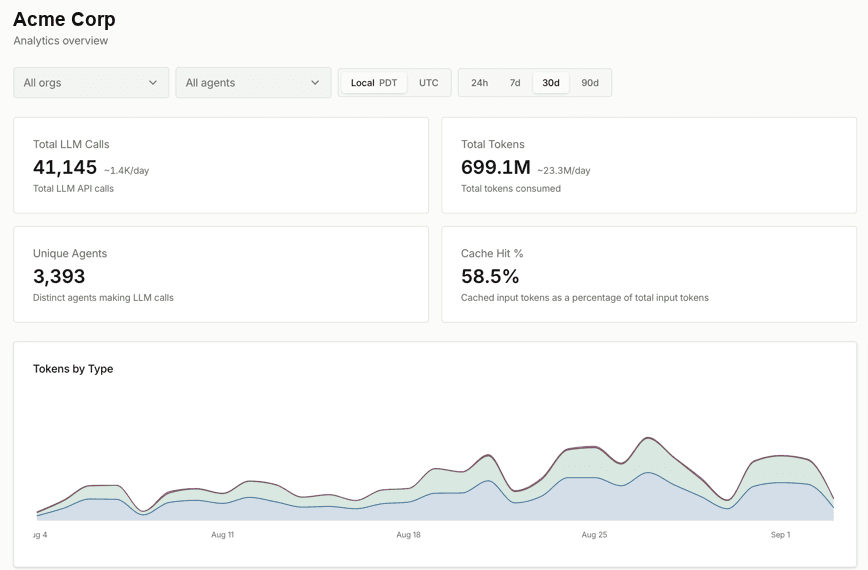
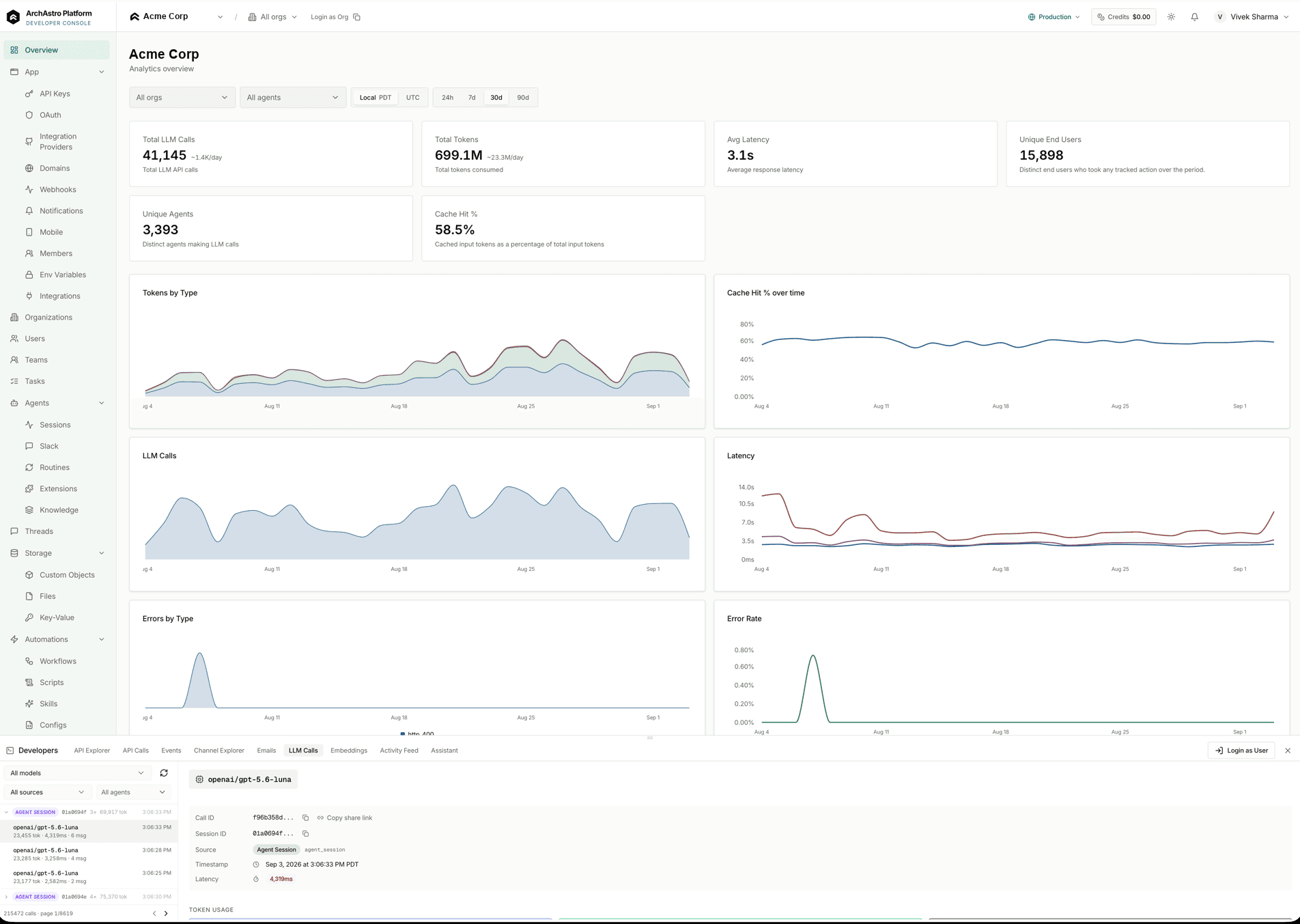
The console shows every call, token, and error for one app, filtered by organization and agent.
Each area links to the docs page that covers it.
Get access and reach your first customer from the portal, the CLI, or your coding agent.
Give an agent an identity, routines, tools, and knowledge, then keep it in files you can review.
Review what you deployed, test apart from production, and step into a live agent.
Each customer gets an organization with its own people, sign-in rules, agents, and data.
Agents connect to outside services, and each credential has one owner.
One REST API with server-sent events serves a client for every stack.
Pay as you go. Every organization, agent, workflow, and SDK is included.
Top up from $5 to $1,000, or turn on auto-reup. When credits run out, calls stop. There is no overage.